
Download Xmarks – Secure Bookmark Sync for Firefox, Windows, macOS, and Linux
Overview
Xmarks (formerly known as Foxmarks) is a dedicated Firefox extension that lets you synchronize bookmarks, open tabs, and browsing history across any number of computers where Firefox runs. Whether you flip between a Windows workstation at the office and a macOS laptop at home, Xmarks keeps your favorite links instantly available. The service requires a simple user account that is created through an intuitive configuration wizard during the first launch, and all data transmission is encrypted, ensuring that your bookmark collection remains private and secure.
In addition to its core syncing capability, Xmarks adds a handy icon to the URL bar that opens a dropdown panel displaying information about the current site and a curated list of similar sites, turning your browser into a mini discovery engine. While Xmarks no longer supports password synchronization, it integrates smoothly with complementary password managers like LastPass, allowing you to maintain a complete, cross‑device browsing experience. The extension operates silently in the background, automatically updating your data at browser shutdown or at intervals you define, and it can even be configured to run through your own server for maximum control over where your information is stored.
Overall, Xmarks offers a fast, reliable, and feature‑rich solution for anyone who relies on Firefox across multiple platforms and wants a hassle‑free way to keep their web navigation assets synchronized.
Key Features
- Bidirectional bookmark synchronization across Windows, macOS, Linux, and any Firefox‑compatible platform.
- Sync of open tabs and browsing history, ensuring continuity when switching devices.
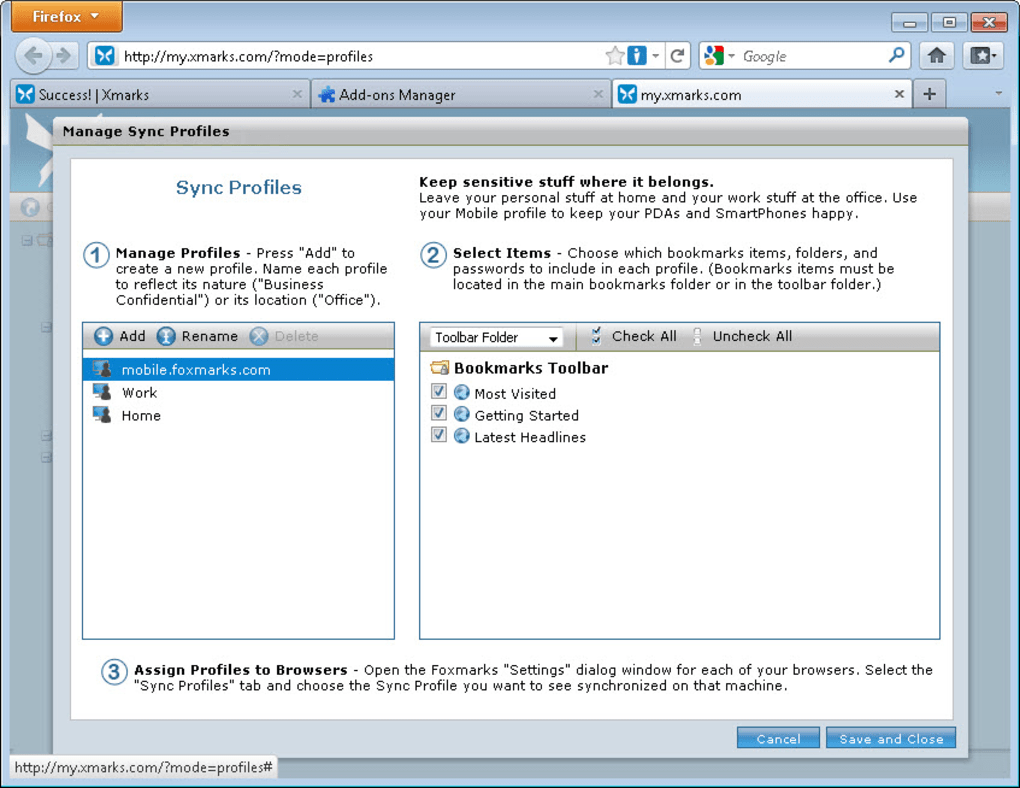
- Multiple sync profiles for separating work, personal, or project‑specific bookmark sets.
- Optional self‑hosted server mode, giving you full control over data storage.
- Secure, encrypted transmission of all synced data.
- Integrated URL‑bar icon that displays site information and related site suggestions.
- Automatic sync at browser shutdown or configurable periodic sync intervals.
- Step‑by‑step account creation wizard for quick onboarding.
- Compatibility with other Firefox extensions and add‑ons.
- Free to download and use, with optional premium features for advanced users.
Installation & Usage Instructions
Downloading and Installing Xmarks
To begin, navigate to the official Xmarks download page or the Firefox Add‑Ons Marketplace. Click the “Add to Firefox” button, and a confirmation dialog will appear. Accept the permissions request, and Firefox will automatically download and install the extension. After installation, the Xmarks icon appears to the right of the address bar, indicating that the add‑on is active.
Creating Your Xmarks Account
On first launch, Xmarks opens a configuration wizard. You will be prompted to enter an email address and create a strong password. The wizard walks you through optional steps such as choosing a default sync profile and deciding whether to enable automatic sync at shutdown. All account data is stored securely on Xmarks’ servers unless you opt for the self‑hosted mode.
Syncing Your Bookmarks
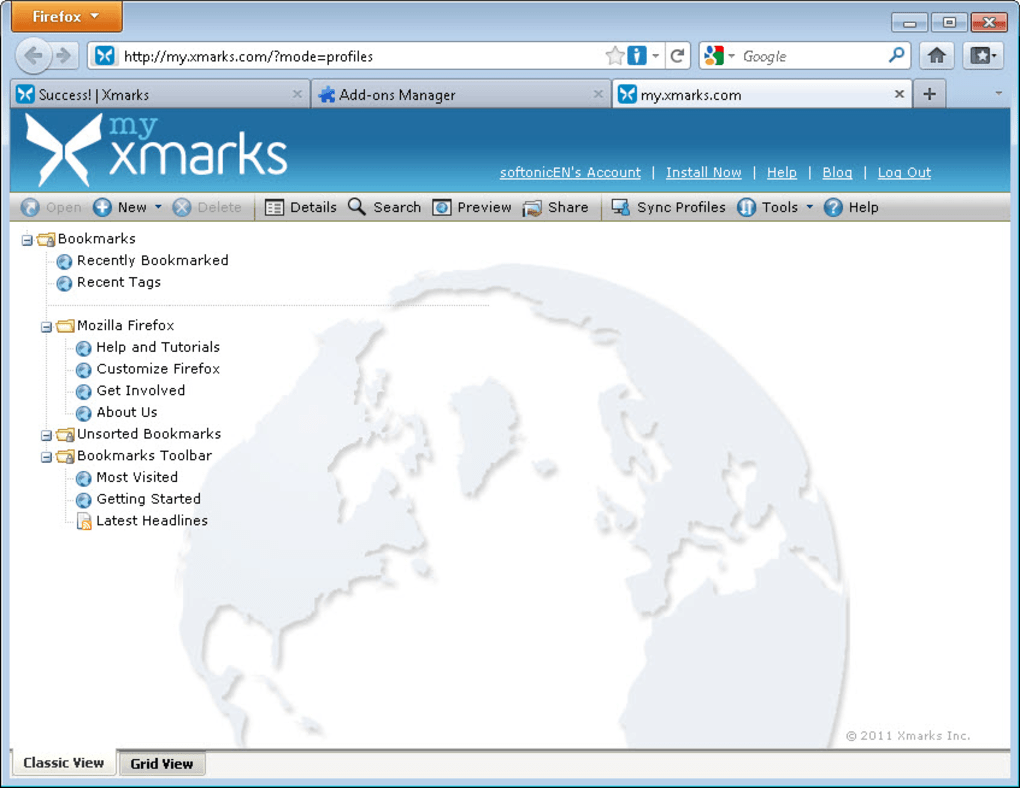
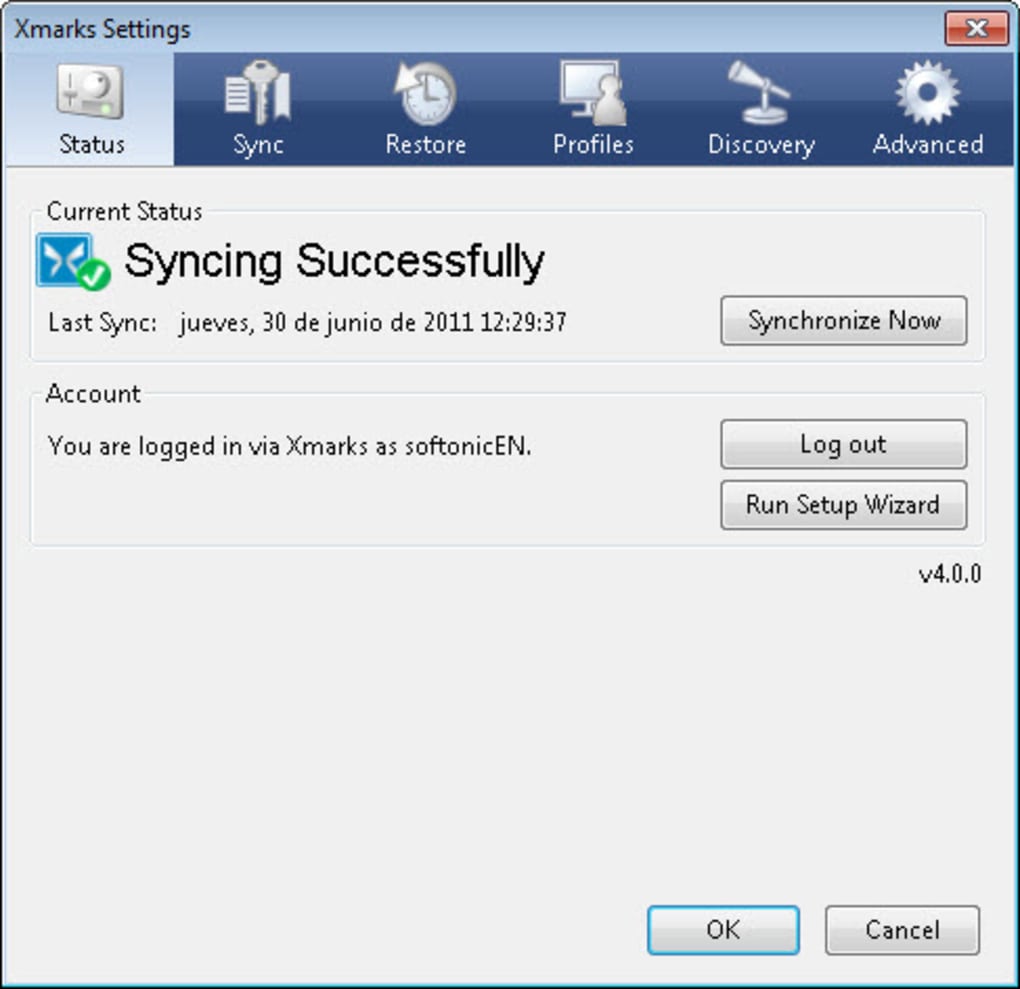
Once logged in, Xmarks automatically begins the initial sync. This process scans your existing Firefox bookmarks, uploads them to the cloud, and then pulls any bookmarks that may already exist on other devices linked to the same account. The sync typically completes within a few seconds, depending on the size of your collection. You can manually trigger a sync at any time by clicking the Xmarks icon and selecting “Sync Now.”
Managing Tabs and History
To extend synchronization beyond bookmarks, open the Xmarks settings panel and enable “Sync Open Tabs” and “Sync Browsing History.” When enabled, any tabs you close on one machine will reappear as a “Recent Tabs” list on your other devices. History sync works similarly, merging your browsing records so you can search for previously visited pages from any computer.
Advanced Options
Power users can create multiple sync profiles by navigating to the “Profiles” tab within the Xmarks dashboard. This feature is ideal for separating work‑related bookmarks from personal collections. Additionally, if you prefer not to store data on Xmarks’ servers, select the “Self‑Hosted” option and provide the URL of your own sync server. Detailed instructions for setting up a self‑hosted server are available on the Xmarks support site.
Troubleshooting Common Issues
If sync appears stalled, ensure that your internet connection is stable and that no firewall rules block Xmarks traffic. You can also reset the sync by logging out of your account, clearing the local cache (found under “Advanced Settings”), and then signing back in. This forces a fresh sync and often resolves minor inconsistencies.
Compatibility, Pros & Cons
Supported Operating Systems
Xmarks works with any operating system that supports the Firefox browser, including Windows 10/11, macOS 10.13 and later, Linux distributions (Ubuntu, Fedora, etc.), and even Firefox for Android (limited to bookmark sync). Because the extension runs inside Firefox, you do not need separate installers for each platform; the same add‑on package is used across all supported environments.
Pros
- Seamless cross‑platform sync: Works flawlessly between Windows, macOS, and Linux.
- Fast synchronization: Updates occur in seconds, even for large bookmark libraries.
- Secure data handling: End‑to‑end encryption protects your bookmarks and history.
- Flexible sync profiles: Separate personal and work bookmarks without hassle.
- Self‑hosted option: Gives privacy‑focused users full control over their data.
- Free core features: No subscription required for basic bookmark syncing.
- Integrated site discovery: Quick access to related sites via the URL‑bar dropdown.
Cons
- No native password synchronization; users must rely on a separate password manager.
- Sync of extensions and settings is not supported, only bookmarks, tabs, and history.
- Occasional lag on older hardware when syncing very large bookmark collections.
- Self‑hosting requires technical knowledge and a dedicated server.
- Limited mobile support: only bookmark sync on Firefox for Android, no tab or history sync.
FAQ
Is Xmarks free to use?
Yes, Xmarks offers a completely free tier that includes bookmark, tab, and history synchronization across unlimited devices. Premium features, such as advanced reporting and priority support, are optional.
Can I sync Xmarks data on mobile devices?
Xmarks supports bookmark synchronization on Firefox for Android, but tab and history sync are currently limited to desktop versions of Firefox.
How secure is the data transferred by Xmarks?
All data is encrypted using industry‑standard TLS during transmission, and stored encrypted on Xmarks’ servers. Users opting for the self‑hosted mode retain full control over encryption keys.
What should I do if my bookmarks stop syncing?
First, verify your internet connection and ensure that Firefox is up‑to‑date. Then, log out of Xmarks, clear the local sync cache (found in the extension’s Advanced Settings), and log back in to trigger a fresh sync. If the problem persists, consult the Xmarks support forum.
Can I use Xmarks to sync other browsers besides Firefox?
Xmarks is built specifically for Firefox and leverages its extension API. While the underlying sync service could theoretically be adapted, there is no official support for Chrome, Edge, or Safari at this time.
Conclusion & Call to Action
For anyone who relies on Firefox across multiple computers, Xmarks delivers a robust, secure, and user‑friendly solution to keep bookmarks, tabs, and browsing history in perfect harmony. Its cross‑platform compatibility, rapid synchronization, and optional self‑hosted mode make it a standout choice for both casual users and privacy‑conscious professionals. While the lack of password syncing means you’ll need an additional password manager, the integration with tools like LastPass keeps the workflow smooth. If you’re ready to eliminate the hassle of manually exporting and importing bookmarks, download Xmarks today and experience seamless browsing continuity across all your devices.







